DoodleLens1.2
Publisher Description
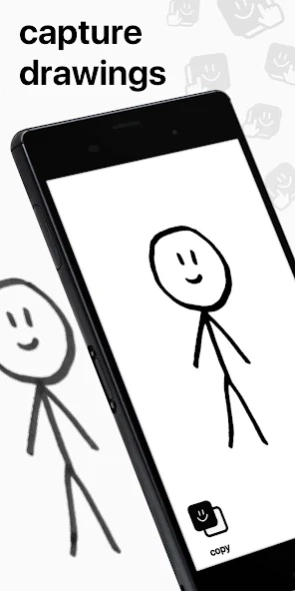
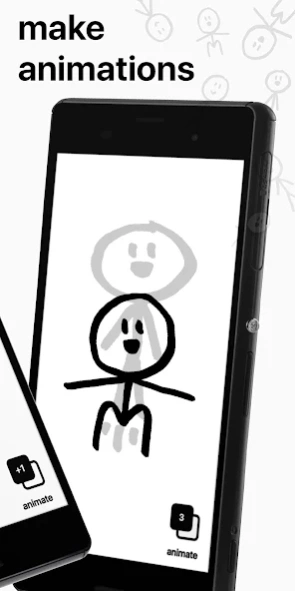
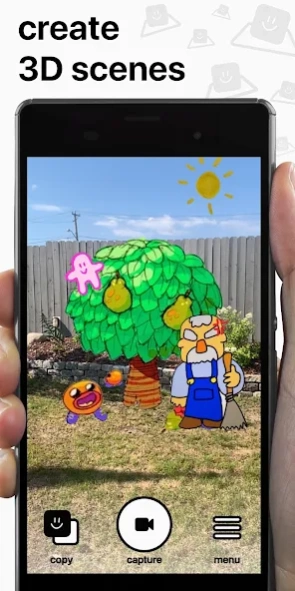
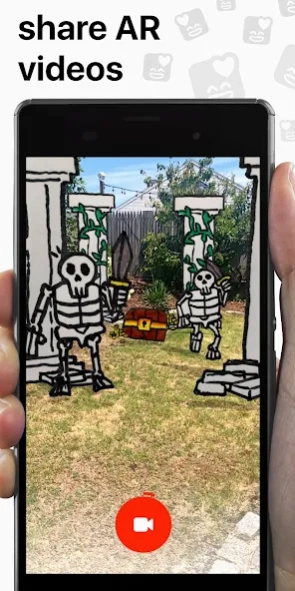
Bring your doodles to life
Bring your dreams to life through the power of augmented reality! DoodleLens turns your flat sketchpad scribbles into interactive, animated 3D AR characters, scenes, and stories!
FEATURES
• Advanced doodle copier
• Frame-by-frame animator
• Doodle editing & effects
• AR scene creator
• Video recorder
• Share your videos anywhere: Instagram, Twitter, YouTube, Facebook, TikTok, or Tumblr
HOW DOES IT WORK?
• Draw something
• Copy it with the camera
• Paste it back to reality
• Record and share
FAQs
Can I copy images from a tablet or screen? Yes
Can I copy color images? Yes
Can I populate my neighborhood with packs of hand-drawn jurassic era dinosaurs? Yes, but be careful..
Remember to tag #DoodleLens when you share so we can see it and re-share it
Follow @DoodleApp on Instagram for daily doodles, contests, and tutorials
Time to unleash your imagination out into the world!
About DoodleLens
The company that develops DoodleLens is Kevaid. The latest version released by its developer is 1.2. This app was rated by 6 users of our site and has an average rating of 2.1.
To install DoodleLens on your Android device, just click the green Continue To App button above to start the installation process. The app is listed on our website since 2019-07-23 and was downloaded 603 times. We have already checked if the download link is safe, however for your own protection we recommend that you scan the downloaded app with your antivirus. Your antivirus may detect the DoodleLens as malware as malware if the download link to com.kevaid.doodlelens is broken.
How to install DoodleLens on your Android device:
- Click on the Continue To App button on our website. This will redirect you to Google Play.
- Once the DoodleLens is shown in the Google Play listing of your Android device, you can start its download and installation. Tap on the Install button located below the search bar and to the right of the app icon.
- A pop-up window with the permissions required by DoodleLens will be shown. Click on Accept to continue the process.
- DoodleLens will be downloaded onto your device, displaying a progress. Once the download completes, the installation will start and you'll get a notification after the installation is finished.
Program Details
System requirements
Download information
Pricing
Version History
version 1.2
posted on 2019-07-24
NEW COPY FILTERS! Line, fill, and color @ItemPouch @opertura
SCENE SAVING! Save & load your entire doodle scenes
VIDEO AUDIO! Unleash your inner storyteller with audio @tanimayto
HORIZONTAL VIDEO! Create more cinematic productions @antium
ERASER! Erase mistakes before pasting @vantro @cynthia @Tumbke
SHADOWS! Add depth and realism with shadows
TUTORIALS! Learn how to use the app like a pro
INSTAGRAM! Share directly to your instagram story
DOZENS of new features, fixes, and improvements!
version 1.1
posted on 2019-06-13
- Fixed animation issue causing scene to lag when multiple animated doodles are on screen
- Overall better animation performance
